

Download DICOM Viewer Essential – Medical Imaging, DICOM, PACS, Radiology, Healthcare
Overview
DICOM Viewer Essential, developed by Athena DICOM, is a specialized mobile application designed for medical professionals who require reliable access to DICOM images across clinical environments. The app serves as a digital imaging solution for radiologists, physicians, and healthcare staff who need to review, analyze, and share medical scans on the go. Its core purpose is to streamline the viewing and manipulation of DICOM files, supporting workflows in hospitals, clinics, and remote diagnostic settings. The app addresses the growing need for portable, efficient, and secure tools that allow medical teams to access critical imaging data without being tied to a workstation.
Target users include radiologists, medical residents, specialists, and healthcare administrators involved in image-based diagnostics. The app supports access to DICOM files from both local storage and cloud-based systems, enabling seamless integration into existing digital health infrastructures. Real-world use cases include pre-operative planning, follow-up assessments, telemedicine consultations, and multidisciplinary team reviews. By offering a robust platform for image analysis on mobile devices, DICOM Viewer Essential enhances diagnostic agility and supports faster decision-making in time-sensitive clinical scenarios.
Although the developer did not provide additional technical details about the company’s background, the app’s feature set suggests a focus on clinical usability and performance. Its presence in the healthcare technology ecosystem underscores the increasing reliance on mobile solutions for medical imaging, particularly in environments where mobility and rapid access to data are essential. The release date of June 17, 2019, indicates a mature product with established functionality, reflecting years of refinement in response to real clinical needs.
Key Features & Functionality
- Unlimited Patient Management: The app allows users to store and retrieve an unlimited number of patient records, making it suitable for high-volume clinical settings where data volume is a constant challenge.
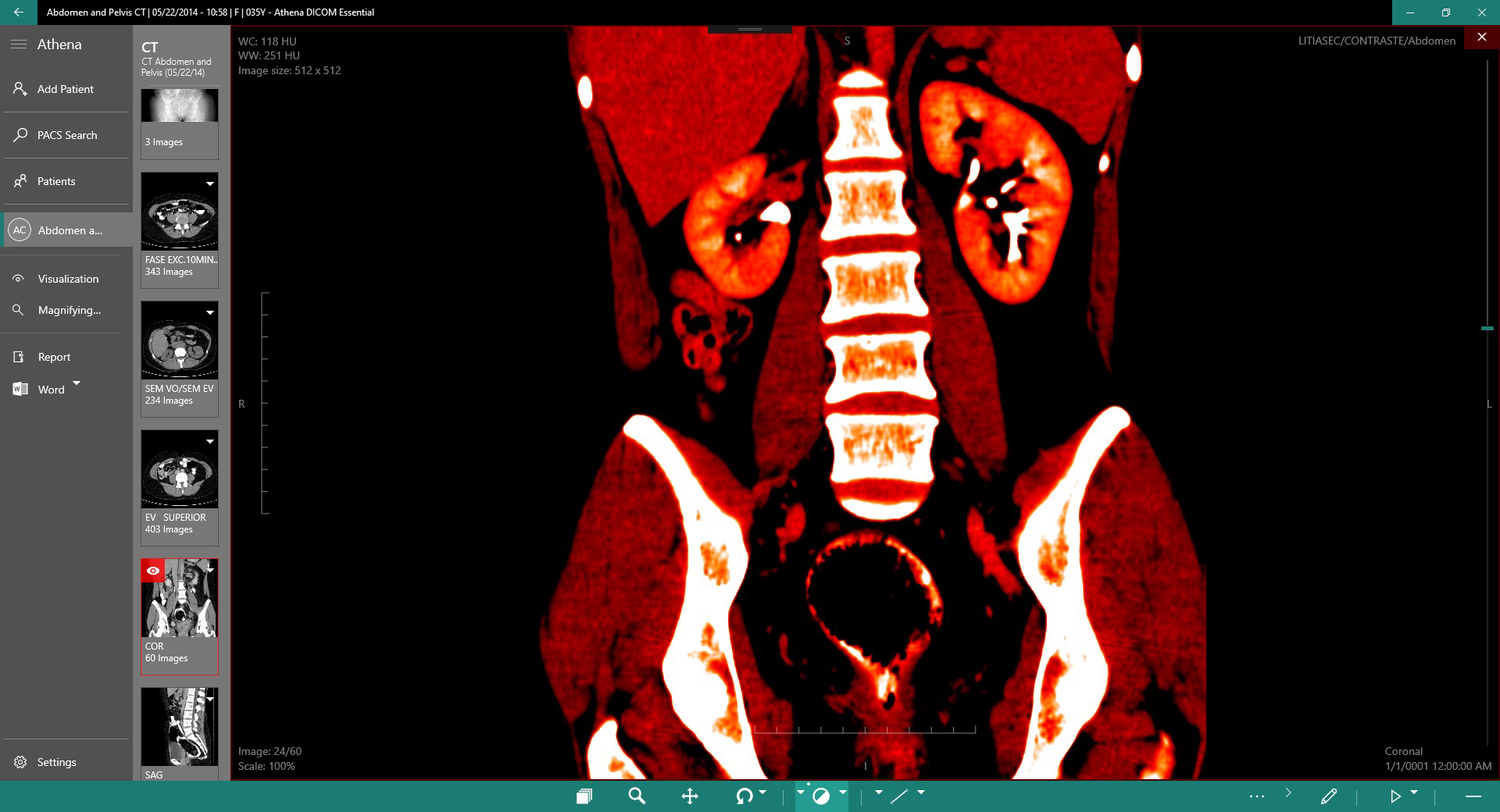
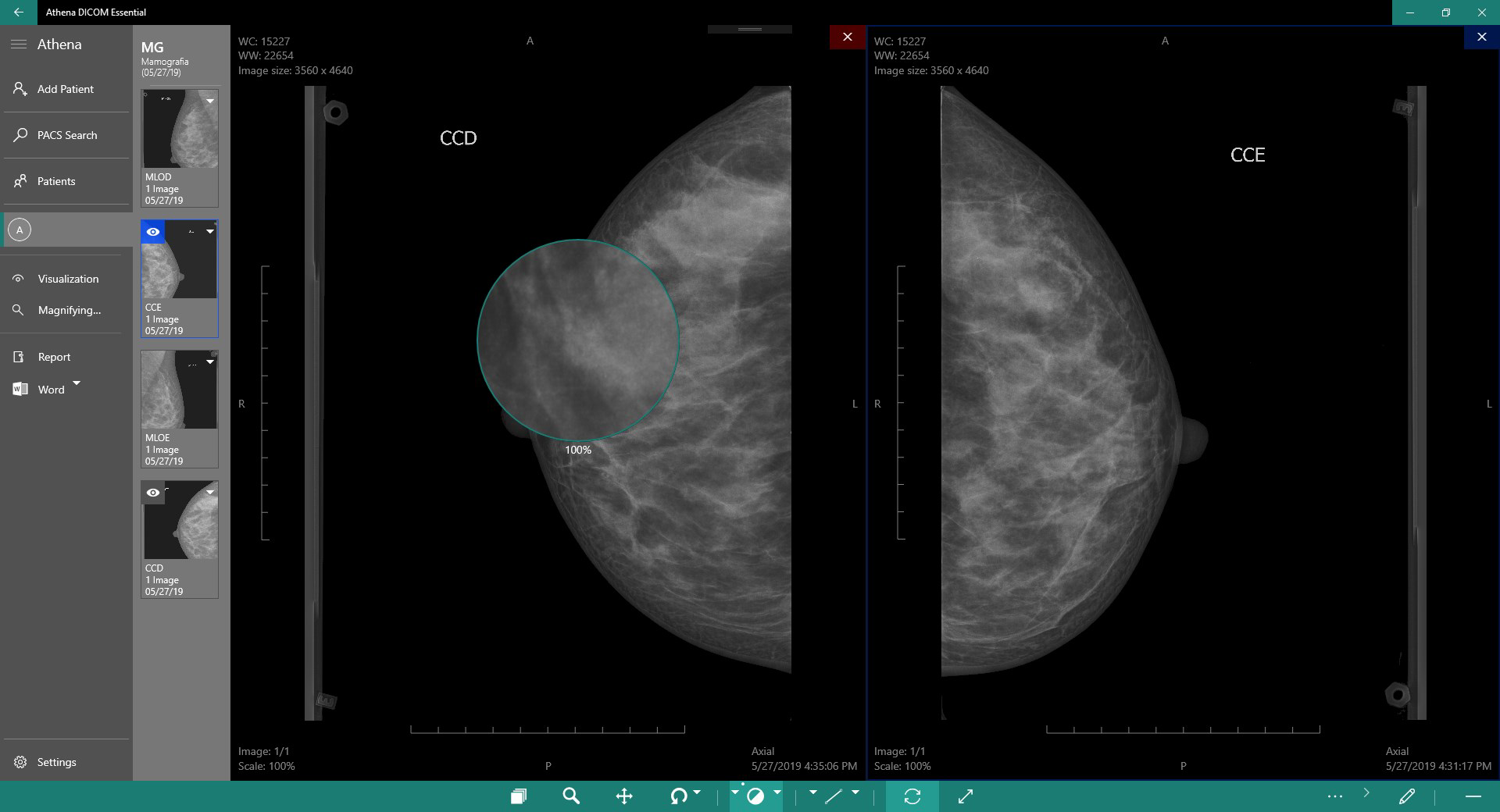
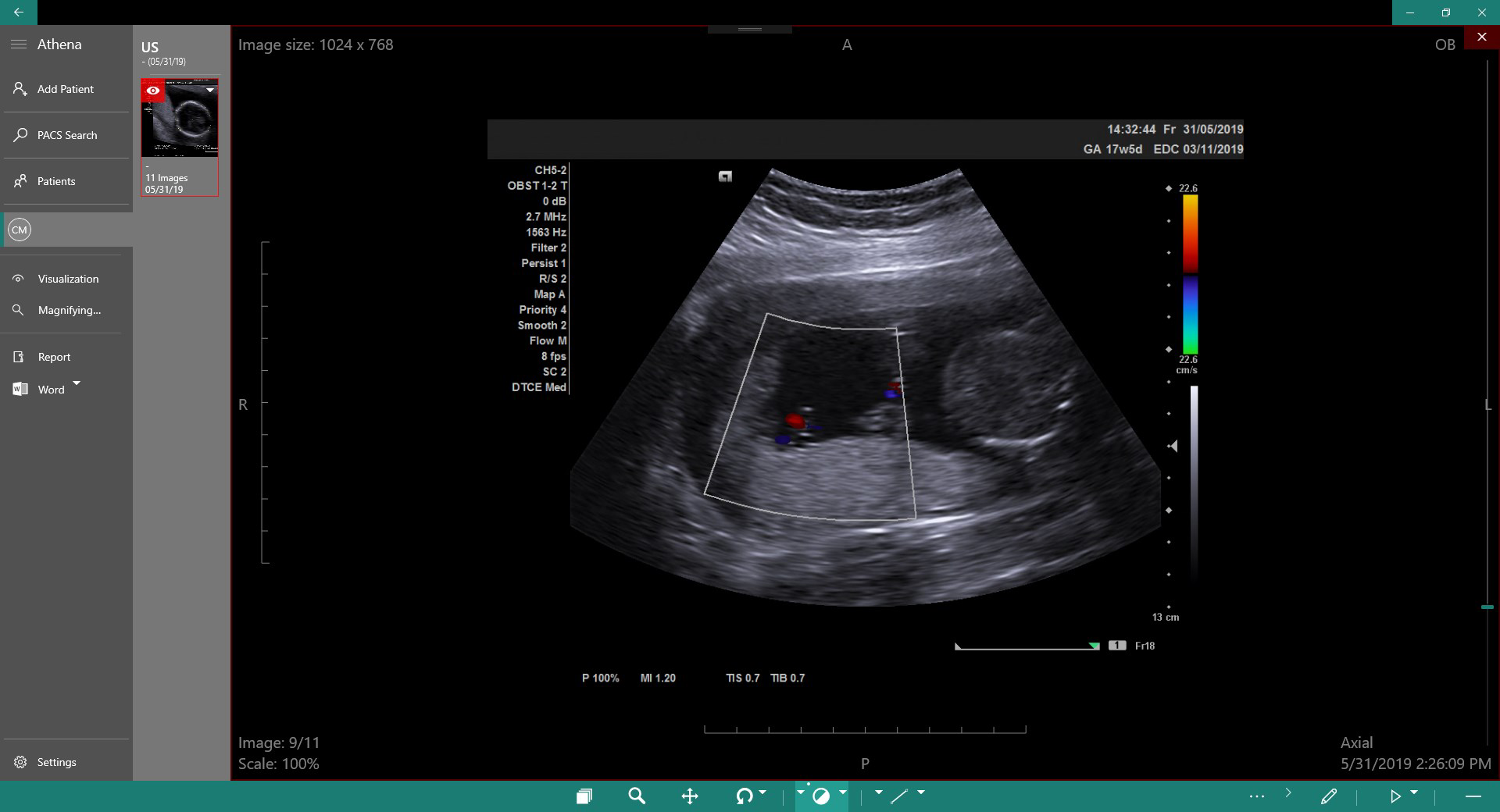
- Comprehensive Image Manipulation: Tools such as zooming, panning, rotating, and windowing enable detailed examination of anatomical structures, supporting accurate interpretation of complex imaging studies.
- Advanced Annotation and Measurement: Users can apply rulers, arrows, points, area measurements, angles, and text annotations to images, improving documentation quality and facilitating collaborative reviews.
- Multi-Series Viewing: The ability to view multiple image series simultaneously supports comparative analysis across different imaging modalities or time points, enhancing diagnostic precision.
- PACS Integration and Export Capabilities: The app supports PACS configuration, allowing direct integration into hospital imaging systems. Images can be exported to PACS, local storage, or external devices such as USB drives and CDs, ensuring flexible data sharing and archiving.
These features are particularly valuable in clinical workflows where time and accuracy are critical. For example, a radiologist reviewing a series of CT scans can use multi-series viewing to compare pre- and post-treatment images side-by-side. A specialist conducting a remote consultation can annotate a MRI with measurement tools and share the annotated image with colleagues. The export function ensures that findings can be archived or transferred securely, maintaining compliance with data handling standards. The combination of powerful tools and flexible access makes DICOM Viewer Essential a practical utility for modern medical practice.
Interface, UX & Performance
The user interface of DICOM Viewer Essential is designed with clinical efficiency in mind, prioritizing clarity and functionality over visual flair. Navigation is structured around intuitive touch gestures—panning, zooming, and rotating—allowing for smooth interaction with large image files. The layout places essential tools within easy reach, minimizing the number of taps required to access key functions. This design supports rapid workflow transitions, which is essential during time-sensitive diagnostic tasks.
Although the developer did not list formal performance metrics, the app’s ability to handle complex DICOM files across multiple series suggests optimized memory and processing management. Users can expect responsive performance on modern smartphones and tablets, with minimal lag during image loading and manipulation. Stability appears to be a focus, as the app supports continuous use in clinical settings without frequent crashes or freezes.
Responsiveness across device categories is likely consistent, given the app’s reliance on standard mobile rendering techniques. However, specific requirements were not listed. The interface remains functional and accessible even on lower-resolution screens, though image clarity may vary depending on device capabilities. Overall, the app delivers a stable and predictable user experience, making it suitable for daily clinical use in diverse healthcare environments.
Platform Compatibility & Technical Requirements
DICOM Viewer Essential is available on Android, as indicated by the app’s distribution model. The current software version is not specified in the provided data, nor is the file size. The developer did not disclose minimum OS requirements or compatibility details for specific Android versions.
Compatibility information was not fully disclosed, so users should verify system requirements through the official distribution channel. The app’s reliance on DICOM standards suggests it is built to support common medical imaging formats, but no specific hardware or network specifications were provided. Users should ensure their devices meet general Android compatibility standards for running medical imaging software.
Pros and Cons
- Supports unlimited patient records for scalable clinical use
- Offers advanced tools for image manipulation and annotation
- Enables multi-series viewing for comparative diagnostics
- Provides PACS integration and export options for data sharing
- Designed with a focus on clinical workflow efficiency
- Specific OS and file size details were not provided
- Developer background and technical specifications are limited
- No information on update frequency or support channels
- Compatibility with older Android devices is unclear
- Limited visibility into security protocols for medical data
FAQ
Is DICOM Viewer Essential compatible with all Android devices?
The developer did not specify minimum OS requirements or device compatibility. Users should check the official source for the latest compatibility details.
Can I use DICOM Viewer Essential for telemedicine consultations?
Yes, the app supports remote access to DICOM images and includes annotation tools that can be used during virtual consultations, enhancing communication between healthcare providers.
How secure is the app for handling patient data?
The app is designed for medical use, but specific security measures such as encryption or compliance with HIPAA or GDPR were not disclosed by the developer.
Does the app support cloud-based DICOM storage?
Yes, the app allows access to DICOM images from cloud storage, enabling remote viewing and management of patient imaging data.
How often is DICOM Viewer Essential updated?
The update frequency was not provided. Users are advised to monitor the official distribution channel for the latest version and improvements.
Final Thoughts
DICOM Viewer Essential stands out as a powerful, mobile-first solution for medical imaging professionals who need reliable access to DICOM data in diverse clinical settings. Its combination of unlimited patient management, advanced manipulation tools, and PACS integration makes it a versatile asset in modern healthcare workflows. The app’s focus on usability and functionality supports efficient diagnostics, collaborative reviews, and secure data sharing—key components of effective medical practice.
While some technical details remain undisclosed, the app’s established release history and feature-rich design reflect a mature product tailored to real-world medical needs. It is especially beneficial for radiologists, specialists, and mobile healthcare teams who require a dependable tool for image analysis on smartphones and tablets.
For medical professionals seeking a secure, efficient, and flexible DICOM viewer with strong utility in clinical environments, DICOM Viewer Essential offers a compelling value proposition. Download DICOM Viewer Essential now.


